

It looks like you're trying to visit our USA store, would you like to go to our UK store?

EGSPay
Account Menu
EGSPay
Menu
Search
EN / USD
×
    Welcome to EGSPay

    Welcome to EGSPay

    Confirm?

    Are you sure you want to logout?

EGSPay
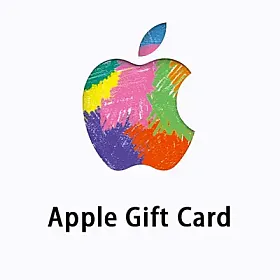
      Apple Gift Card (US)

      EGSPay Safe   EGSPay Instant Delivery

      Apple Gift Card (US)

    • Apple Appstore
    • US

    DESCRIPTION

    About Apple Gift Card (US)

    An Apple Gift Card is a multi-purpose prepaid card that can be used to buy a wide range of Apple products and services, including laptops, music, apps, e-books, and more. It replaces the former Apple Store Gift Cards, iTunes Gift Cards, and App Store Gift Cards, giving you more flexibility and convenience when shopping for Apple products. Simply use your card code as payment at checkout in any US Apple Store or redeem it to refill your ID balance online.

    Looking for a quick and secure way to refill your Apple ID balance? Purchase an Apple Gift Card online now! With this prepaid credit, you can easily make purchases on the iTunes store without having to link a credit card or share your bank details. Plus, no surprise charges! Redeem your code right away for more store credit, app downloads, music, TV shows, movies, and more!

    Overall, an Apple Gift Card offers a convenient and secure way to make purchases on the iTunes store and other Apple products and services. It's also a great gift option, as you can personalize it with a message and choose from a variety of design templates.

    How to redeem your Apple Gift Card (US) with your iPhone, iPad, or iPod touch?

    On your iPhone, iPad, or iPod touch, open the App Store app.

    At the top of the screen, tap the sign-in button or your photo.

    Tap Redeem Gift Card or Code. If you don’t see Redeem Gift Card or Code, sign in with your Apple ID.

    Tap Use Camera and follow the instructions on the screen. If you have trouble redeeming the card, tap "You can also enter your code manually," then follow the instructions on the screen.

    Tap Done.

    How to redeem your Apple Gift Card (US) on your Mac?

    On your iPhone, iPad, or iPod touch, open the App Store app.

    On your Mac, open the App Store.

    Click your name or the sign-in button in the sidebar.

    Click Redeem Gift Card.

    Click Use Camera and follow the instructions on the screen. If you have trouble redeeming the card, click "You can also enter your code manually," then follow the instructions on the screen.

    How to redeem your Apple Gift Card (US) on a Windows PC?

    Open iTunes.

    From the menu bar at the top of the iTunes window, choose Account.

    Choose Redeem.

    Sign in and follow the instructions on the screen.

    Apple Gift Card (US)
    EGSPay Safe  EGSPay Instant Delivery

    Apple Gift Card (US)

    Apple Appstore

    US

    DESCRIPTION

    About Apple Gift Card (US)

    An Apple Gift Card is a multi-purpose prepaid card that can be used to buy a wide range of Apple products and services, including laptops, music, apps, e-books, and more. It replaces the former Apple Store Gift Cards, iTunes Gift Cards, and App Store Gift Cards, giving you more flexibility and convenience when shopping for Apple products. Simply use your card code as payment at checkout in any US Apple Store or redeem it to refill your ID balance online.

    Looking for a quick and secure way to refill your Apple ID balance? Purchase an Apple Gift Card online now! With this prepaid credit, you can easily make purchases on the iTunes store without having to link a credit card or share your bank details. Plus, no surprise charges! Redeem your code right away for more store credit, app downloads, music, TV shows, movies, and more!

    Overall, an Apple Gift Card offers a convenient and secure way to make purchases on the iTunes store and other Apple products and services. It's also a great gift option, as you can personalize it with a message and choose from a variety of design templates.

    How to redeem your Apple Gift Card (US) with your iPhone, iPad, or iPod touch?

    On your iPhone, iPad, or iPod touch, open the App Store app.

    At the top of the screen, tap the sign-in button or your photo.

    Tap Redeem Gift Card or Code. If you don’t see Redeem Gift Card or Code, sign in with your Apple ID.

    Tap Use Camera and follow the instructions on the screen. If you have trouble redeeming the card, tap "You can also enter your code manually," then follow the instructions on the screen.

    Tap Done.

    How to redeem your Apple Gift Card (US) on your Mac?

    On your iPhone, iPad, or iPod touch, open the App Store app.

    On your Mac, open the App Store.

    Click your name or the sign-in button in the sidebar.

    Click Redeem Gift Card.

    Click Use Camera and follow the instructions on the screen. If you have trouble redeeming the card, click "You can also enter your code manually," then follow the instructions on the screen.

    How to redeem your Apple Gift Card (US) on a Windows PC?

    Open iTunes.

    From the menu bar at the top of the iTunes window, choose Account.

    Choose Redeem.

    Sign in and follow the instructions on the screen.

    Trigger modal
    text_subcribe
    Follow Us        © 2026 EGSPay.

    WHY US?     FAQs     Blog     Terms & Conditions     Privacy Policy     Payment Partners     Reseller Program     Contact Us

       
    Follow Us 


    WHY US?     FAQs     Blog      Terms & Conditions     Privacy Policy     Payment Partners     Reseller     Contact Us
       
    © 2026 EGSPay.

    Information

    • Terms & Conditions
    • Privacy Policy

    Quick Links

    • Redeem EGSPay Voucher
    • Blog
    • Specials
    • Site Map
    • RESELLER PROGRAM JOIN US & PROFIT
    • Reseller List
    • Returns

    Resources

    • Contact Us
    • Newsletter
    • Order History

    Download Our APP

        © 2026 EGSPay.